
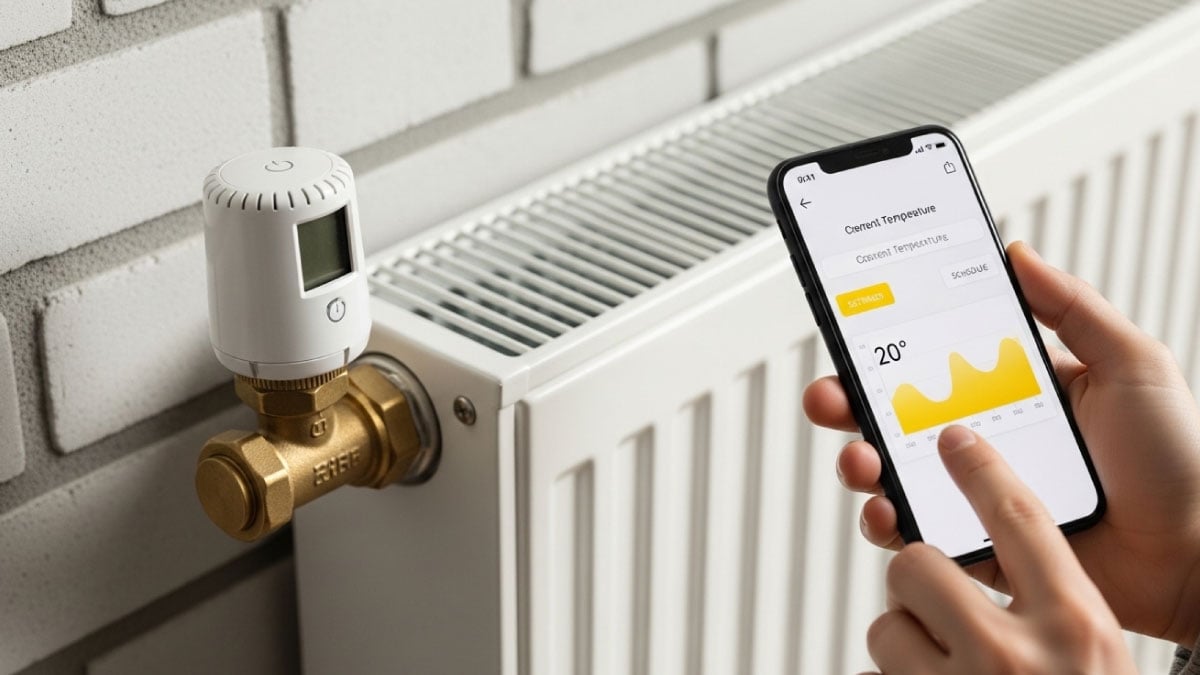
Cregger is proud to serve homeowners across Metro Detroit with expert heating, cooling, plumbing, and electrician. A Wi-Fi thermostat can be one of the most useful upgrades you make—when it’s chosen correctly for your HVAC system and the way your household actually lives. In Southeast Michigan, that matters even more. Subzero winter mornings, shoulder-season temperature swings, and hot, humid summer stretches put real pressure on heating and cooling equipment. The thermostat you choose can affect comfort, energy use, and how hard your system has to work.
But “Wi-Fi thermostat” is a wide category. Some models simply let you change the temperature from your phone. Others include learning features, room sensors, energy reporting, and alerts that warn you when something looks wrong. The best pick depends on compatibility, wiring, comfort needs, and the features you’ll actually use—not the most advertised option.
Below are the most important factors to consider, plus a practical checklist you can follow before you buy.
What Homeowners Need to Know Before Buying a Wi-Fi Thermostat
A Wi-Fi thermostat is the control center for your HVAC system. If it’s not compatible, even a premium model can create issues like uneven temperatures, short cycling, or higher energy bills. The “best” thermostat is the one that works correctly with your equipment and helps your home feel more consistent in both Michigan winter and summer.
Before you compare brands or features, get clear on three basics: what type of system you have, whether your wiring supports a Wi-Fi thermostat, and what comfort problem you’re trying to solve.
Factor 1: HVAC System Compatibility (This Comes First)
Compatibility is the make-or-break factor. A thermostat has to control your equipment properly or you won’t get the comfort and efficiency you expect.
Common Metro Detroit setups include:
- Gas furnace + central air conditioning
- Heat pump systems (more common in newer installs and some upgrades)
- Boiler heat with a separate cooling system
- Multi-stage or variable-speed heating and cooling
If you have a basic single-stage furnace and AC, many Wi-Fi thermostats will work. If you have a heat pump or multi-stage equipment, compatibility gets more specific. The thermostat must support the right staging and the right control logic.
A mismatch can lead to annoying and expensive problems. For example, a heat pump controlled incorrectly may rely on backup heat too often, which can increase winter operating costs. Multi-stage systems can also lose some of their comfort benefits if the thermostat can’t manage stages properly.
Factor 2: Heat Pump vs. Furnace Control Needs
Heat pumps have different control requirements than furnaces. They often rely on staged heating and “auxiliary” or “emergency” heat during colder weather. A Wi-Fi thermostat needs to be configured properly so it doesn’t call for backup heat unnecessarily.
In Michigan, that’s a big deal. When the weather drops, you want your system to run efficiently and predictably—not constantly jumping to higher-cost backup heating or struggling to maintain temperature.
If you’re not sure whether you have a heat pump, a quick look at your outdoor unit and indoor equipment can help—but the safest approach is to have a professional confirm it before you buy a thermostat.
Factor 3: Single-Stage vs. Multi-Stage vs. Variable-Speed Equipment
Many newer HVAC systems run in multiple stages. Instead of blasting on at full power every time, they run longer at lower output to maintain steadier comfort.
A thermostat that supports multi-stage control can help you get:
- More even temperatures
- Better humidity control in summer
- Quieter operation
- Potential efficiency improvements
If your system is multi-stage or variable-speed but your thermostat treats it like a single-stage system, you may lose those benefits. That’s why it’s smart to match thermostat capability to the equipment you already own.
Factor 4: C-Wire and Power Requirements
Most Wi-Fi thermostats need a constant power source to maintain the screen, connect to your network, and power internal electronics. That usually requires a common wire (often called a C-wire).
In many older Metro Detroit homes, especially those with older thermostat wiring, the C-wire may be missing at the thermostat location. That doesn’t mean a Wi-Fi thermostat isn’t possible, but it does mean you need a plan.
Common outcomes when power wiring isn’t right include:
- Thermostat screens that go blank randomly
- Wi-Fi disconnects
- System behavior that feels inconsistent
- Batteries draining quickly (if the unit tries to run off batteries)
If you want a thermostat that “just works,” confirm wiring before you buy. A professional can also recommend the right way to add power if needed.
Factor 5: Your Home’s Comfort Challenges (Hot/Cold Spots Matter)
If your home has comfort issues, the thermostat you choose should address them. Many Southeast Michigan homes have uneven temperatures, especially:
- Second floors that run hot in summer
- Back bedrooms that run cold in winter
- Finished basements that feel damp or chilly
- Rooms over garages that swing more dramatically with outdoor temperatures
A hallway thermostat may not reflect comfort where your family spends time. If that’s your home, you may benefit from features like room sensors or smart averaging so the thermostat can react to actual living areas, not just one spot.
Factor 6: Room Sensors and How They Help in Real Life
Room sensors can be a game-changer for uneven comfort. They measure temperature in additional rooms and allow the thermostat to make smarter decisions.
Room sensors can help when:
- Bedrooms are too warm at night in summer
- A nursery or office needs a steadier temperature
- You want the thermostat to prioritize comfort in the room you’re using most
Sensors won’t fix major ductwork or insulation problems on their own, but they can make daily comfort noticeably better without remodeling.
Factor 7: Scheduling vs. Learning vs. Simple App Control
Wi-Fi thermostats come with different “brains.” Some are strictly manual with app control. Some are programmable with schedules. Others are designed to learn your patterns.
Here’s a practical way to decide:
- If your schedule is predictable, a programmable thermostat with a solid schedule feature may be perfect.
- If your schedule changes often, app control and flexible scheduling is usually more useful than “learning.”
- If you want the thermostat to adjust automatically, learning features might appeal—but only if you’re willing to spend a little time training and reviewing settings.
A lot of homeowners buy a feature-packed thermostat and then never use most of the features. The best thermostat is the one that fits your routine without becoming another device you have to manage.
Factor 8: Michigan Weather and “Recovery” Performance
Michigan winters make thermostat performance feel personal. Nobody wants to wake up to a cold house in January because recovery took too long.
Some thermostats include “smart recovery,” which starts heating early so your home reaches the set temperature right when you need it. This can be especially helpful for households that lower the temperature at night.
But big temperature setbacks can backfire in some homes. If your house loses heat quickly or your system needs longer run times in cold weather, aggressive setbacks can lead to discomfort and longer recovery cycles. A good Wi-Fi thermostat can help you manage this more smoothly.
Factor 9: Humidity Awareness for Sticky Summer Comfort
In Metro Detroit summers, humidity often matters as much as temperature. A home that’s 74 degrees can still feel uncomfortable if indoor humidity is high.
Many Wi-Fi thermostats display humidity levels, and some can support comfort strategies that reduce clamminess. This works best when your HVAC system is properly sized and airflow is correct. If your home regularly feels sticky, a thermostat with humidity monitoring can give you useful insight and help you discuss solutions clearly with a technician.
Factor 10: App Reliability and Ease of Use
The app is part of the product. If the app is confusing or glitchy, you’ll stop using it and the thermostat becomes an expensive wall device.
Look for an experience that supports:
- Simple temperature changes
- Easy schedule editing
- Clear vacation mode settings
- Straightforward notifications and alerts
- Multiple user access if more than one adult manages the home
If you’re comparing thermostats, pay attention to whether the interface feels natural. You should be able to make basic changes without hunting through menus.
Factor 11: Alerts and Notifications That Protect Your Home
One underrated Wi-Fi thermostat benefit is alerts. In Michigan, a heating failure can become a frozen pipe risk quickly if it goes unnoticed.
Helpful alert types include:
- Temperature drop alerts (possible heat failure)
- Maintenance reminders (filter changes, seasonal tune-ups)
- System runtime notices that suggest abnormal behavior
Alerts aren’t a replacement for maintenance, but they can act like an early warning system.
Factor 12: Your Wi-Fi Network and Placement Reality
A Wi-Fi thermostat needs a stable connection. If your router is far away or your home has weak signal areas, you may experience disconnects.
A disconnected thermostat usually still controls temperature, but you may lose app access and remote features. If your Wi-Fi is inconsistent, consider improving coverage or using a mesh system. It’s better to plan for that upfront than to troubleshoot it during a heat wave.
A Step-by-Step Checklist to Choose the Right Wi-Fi Thermostat
Use this checklist before you buy.
Step 1: Identify your HVAC system type
Furnace + AC, heat pump, boiler, or another setup.
Step 2: Confirm equipment staging
Single-stage, multi-stage, or variable-speed.
Step 3: Check thermostat wiring
Confirm whether a C-wire is present or can be added.
Step 4: Define your goal
Better comfort, lower bills, remote control, humidity insight, or fewer hot/cold spots.
Step 5: Pick only the features you’ll use
Scheduling, sensors, alerts, energy reporting, or learning features.
Step 6: Plan professional installation and configuration
Especially important for heat pumps and multi-stage systems.
This keeps the decision practical and prevents buying a thermostat that doesn’t fit.
Why Professional Installation Can Save You Money
A Wi-Fi thermostat isn’t just wiring. It also needs correct configuration for your equipment. Incorrect staging settings, heat pump settings, or fan control can cause short cycling, comfort problems, or higher runtime.
Professional installation also helps ensure your thermostat is placed and configured to reflect how your home actually feels—not just what one hallway reads.
Frequently Asked Questions About Wi-Fi Thermostats
Will a Wi-Fi thermostat automatically reduce my energy bills?
Not always. Savings depend on correct setup, smart scheduling, and a system that’s running efficiently.
Is a Wi-Fi thermostat worth it in an older home?
Often, yes—especially if you want better control, alerts, or improved comfort in uneven rooms. Pairing thermostat upgrades with airflow improvements can help even more.
What if my Wi-Fi goes out?
Most Wi-Fi thermostats still function as thermostats, but remote access and app features may be limited until the connection returns.
If you want help picking the right Wi-Fi thermostat for your home, Cregger can confirm compatibility, handle professional installation, and optimize settings for Michigan comfort. Call Cregger today for trusted HVAC service across Metro Detroit. Need help fast? Contact Cregger for same-day home service. Stay comfortable year-round—schedule your appointment with Cregger today.